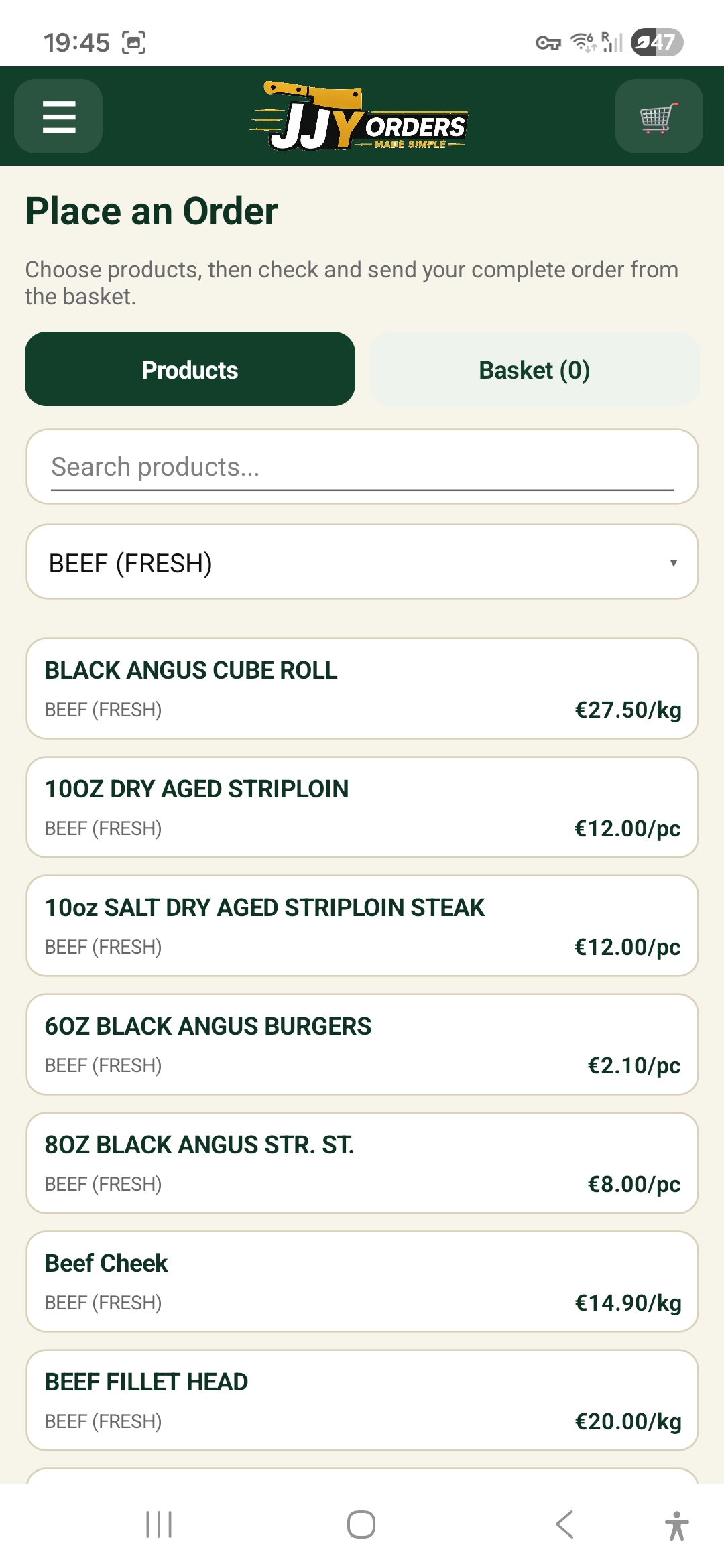
Browse products and categories
Search the product list or filter by category to find the items you need. Prices and selling units are shown where applicable.
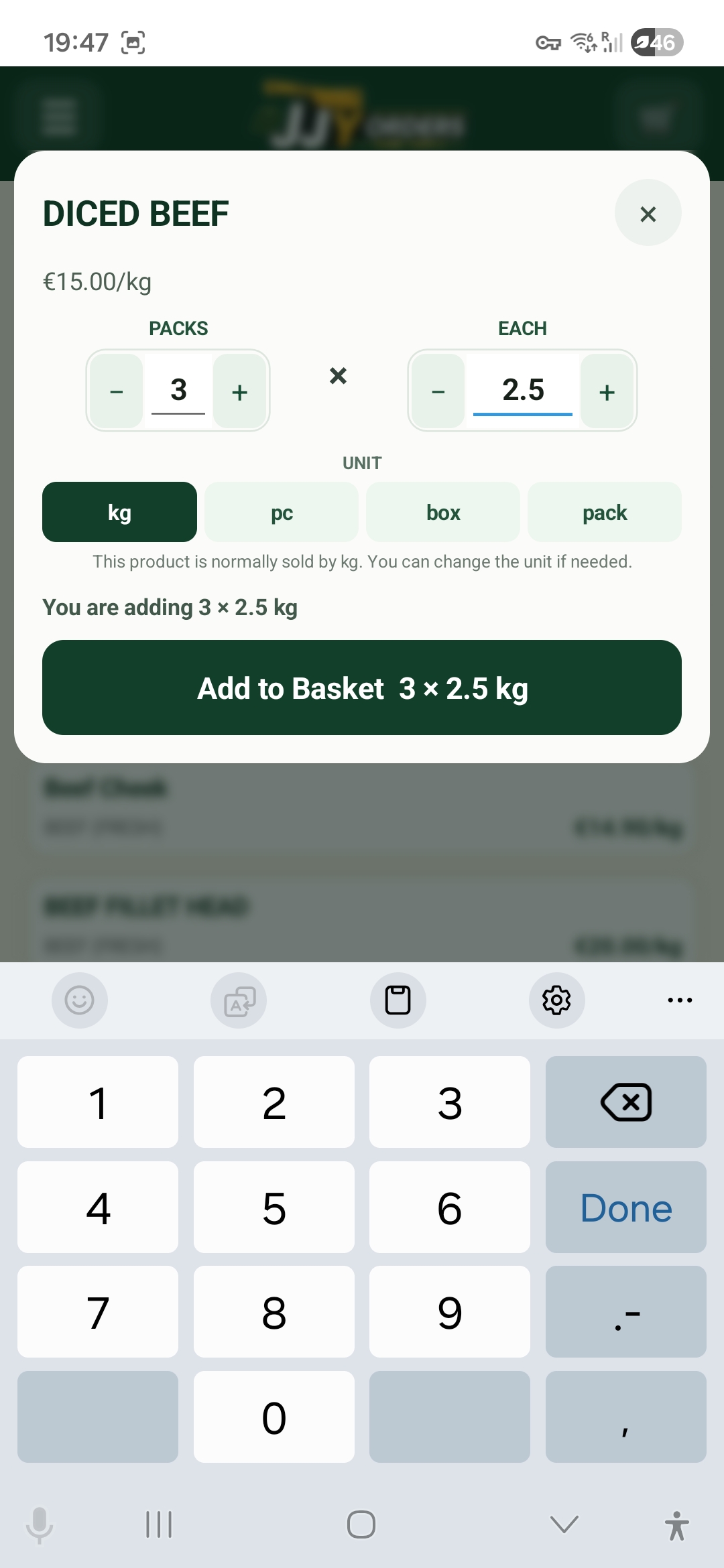
Flexible quantities
Enter the quantity in the way you actually order it. For example, 3 × 2.5 kg diced beef is kept as three 2.5 kg packs, rather than being reduced to a single 7.5 kg line.
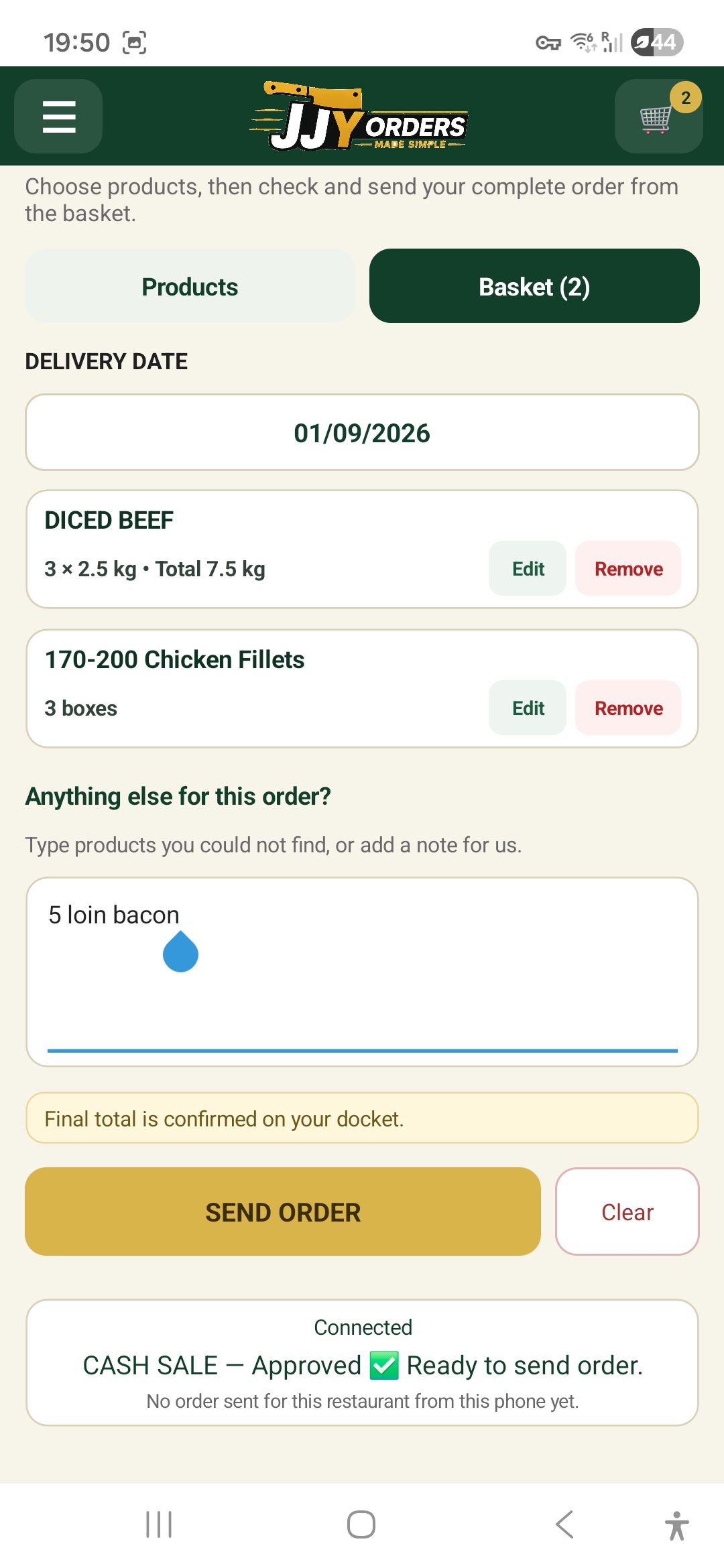
Basket and order notes
Review every selected item before sending. Quantities can be edited or removed, and you can add a note or type an extra item that was not found in the product list.
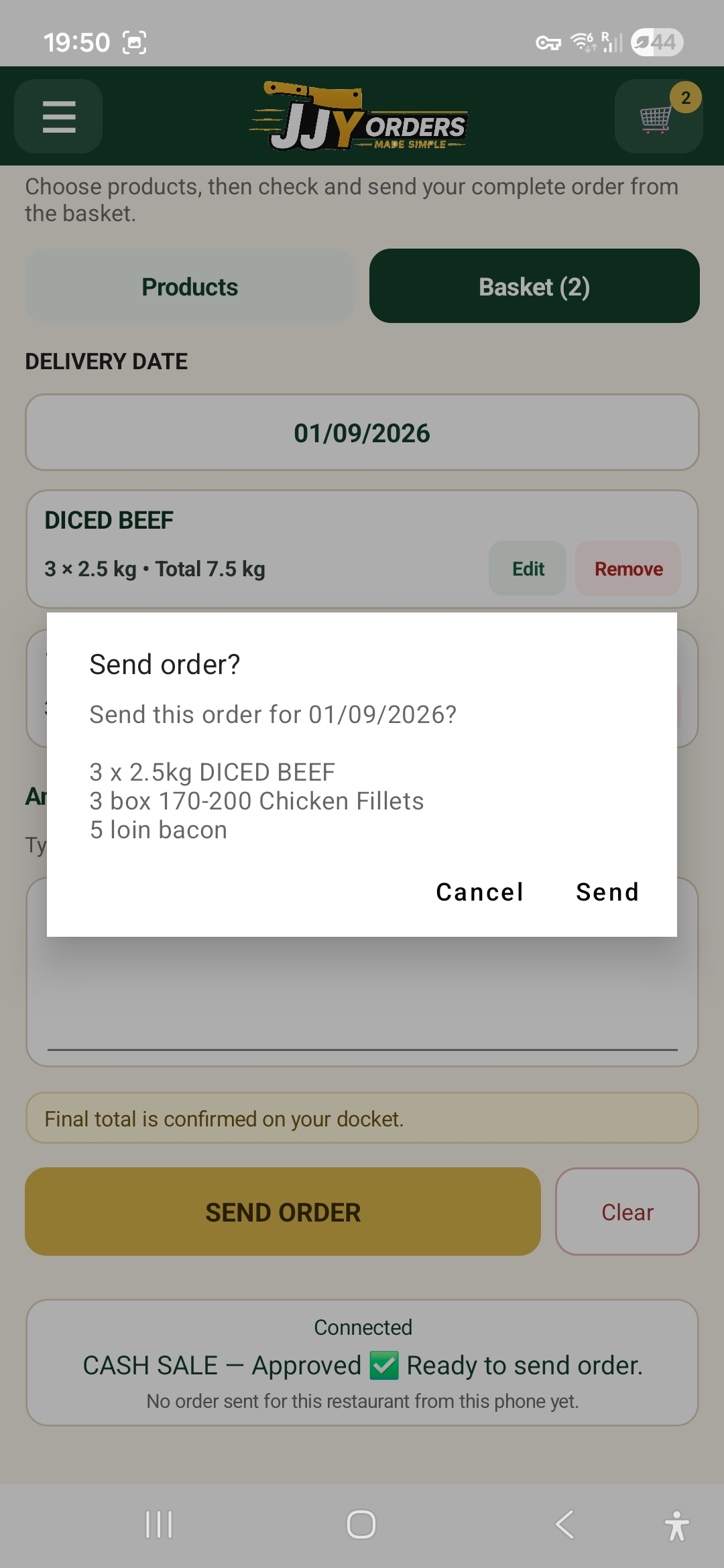
Order confirmation
Choose the delivery date, review the final order and confirm it before it is sent to JJ Young & Sons.
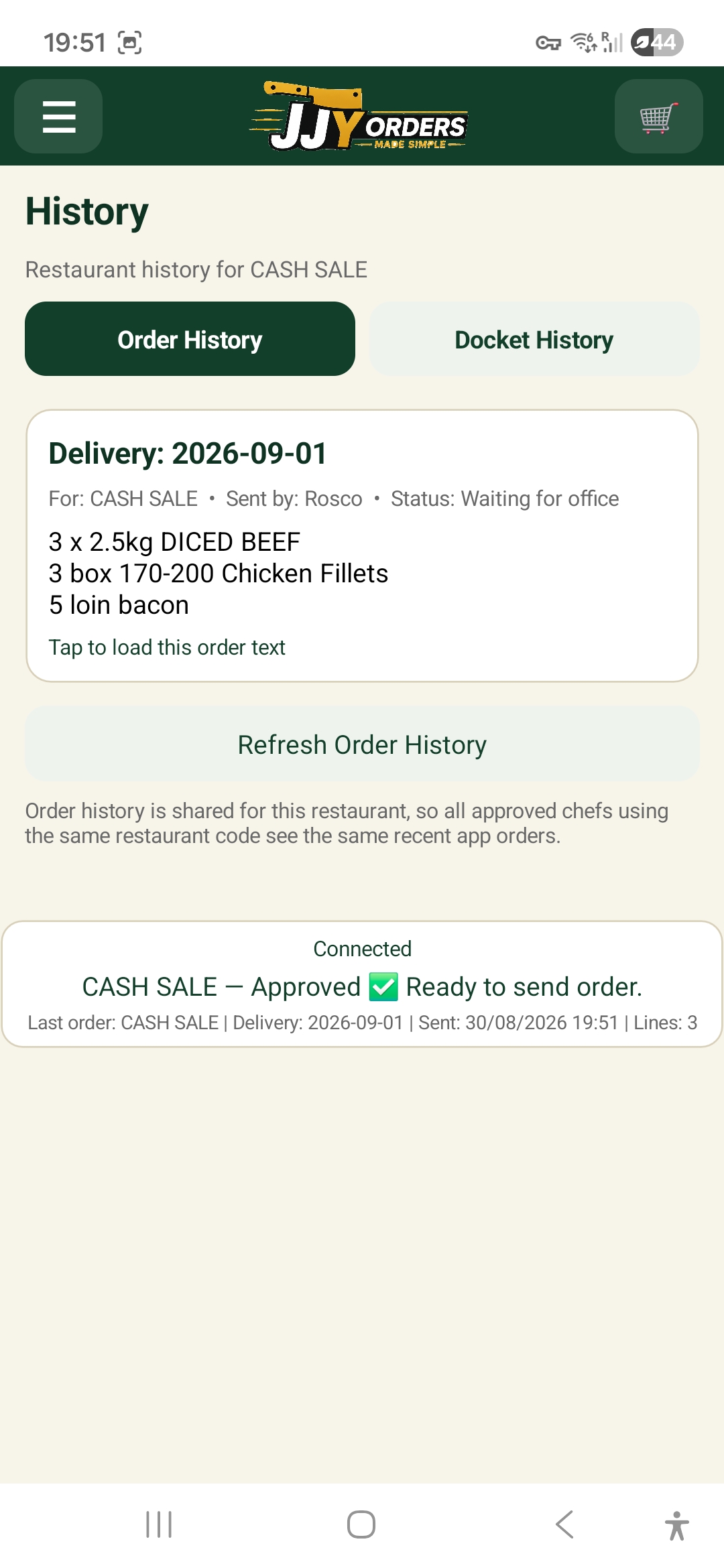
Shared order history
Recent restaurant orders can be shared across approved staff using the same JJY customer code, helping the kitchen see what has already been sent.
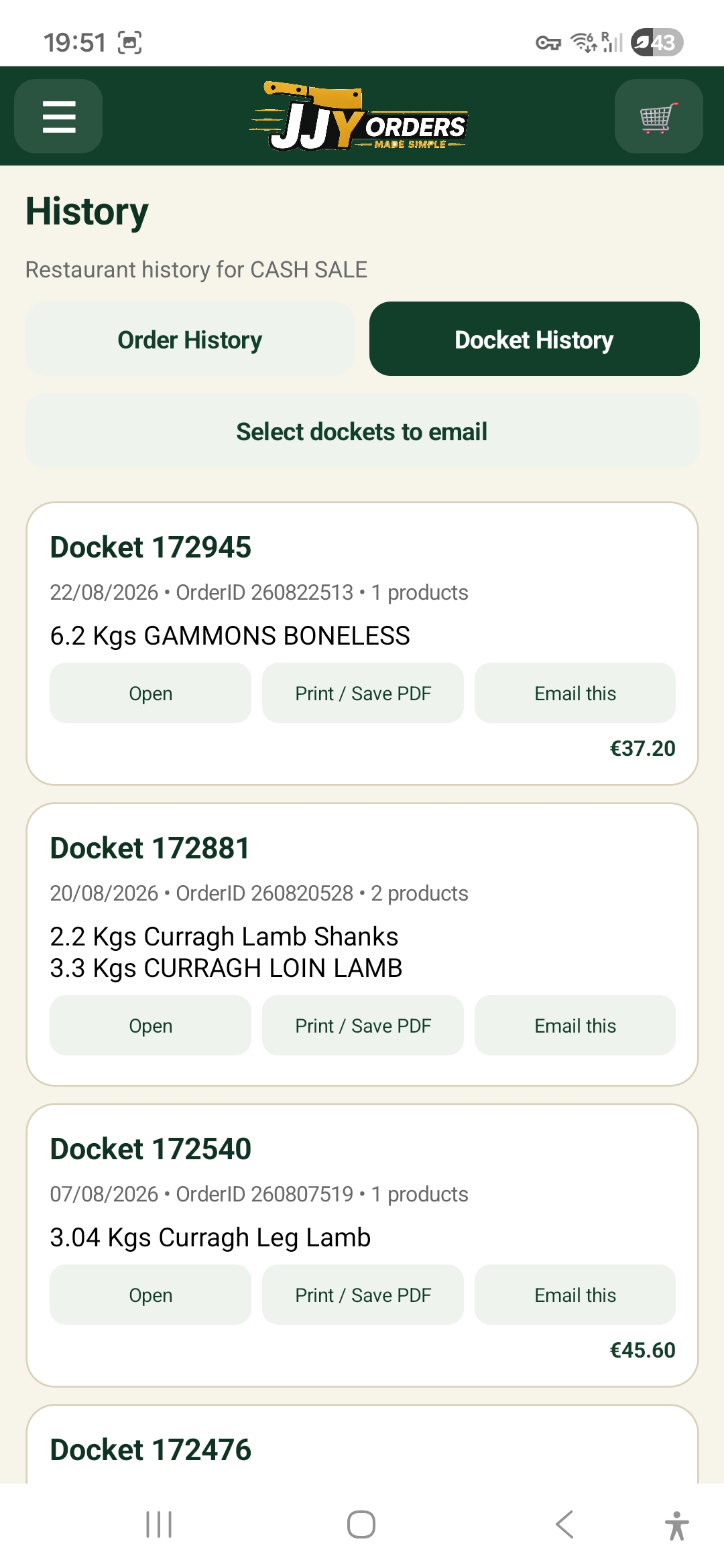
Docket history
Finished or printed delivery dockets can be opened from the app where available, with options to save as PDF or email a copy.
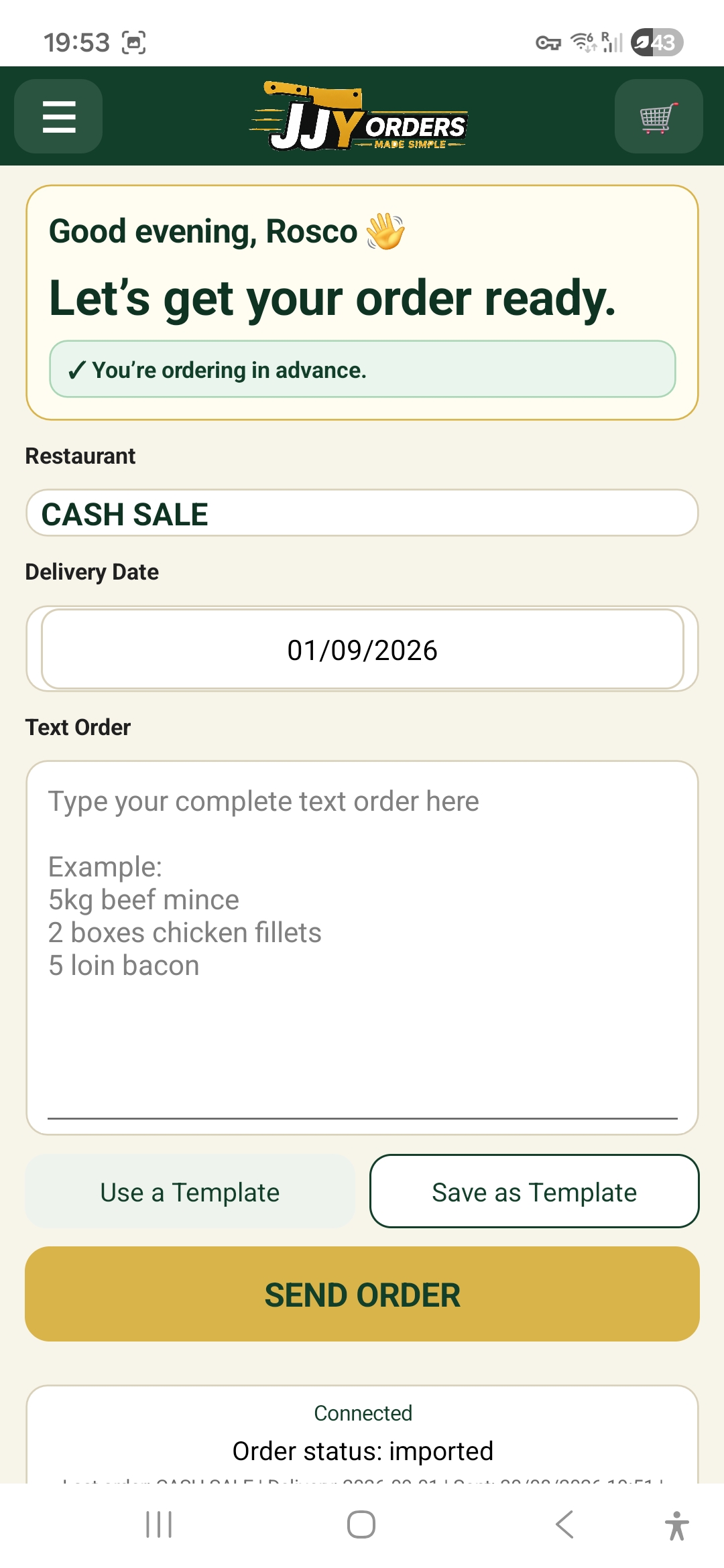
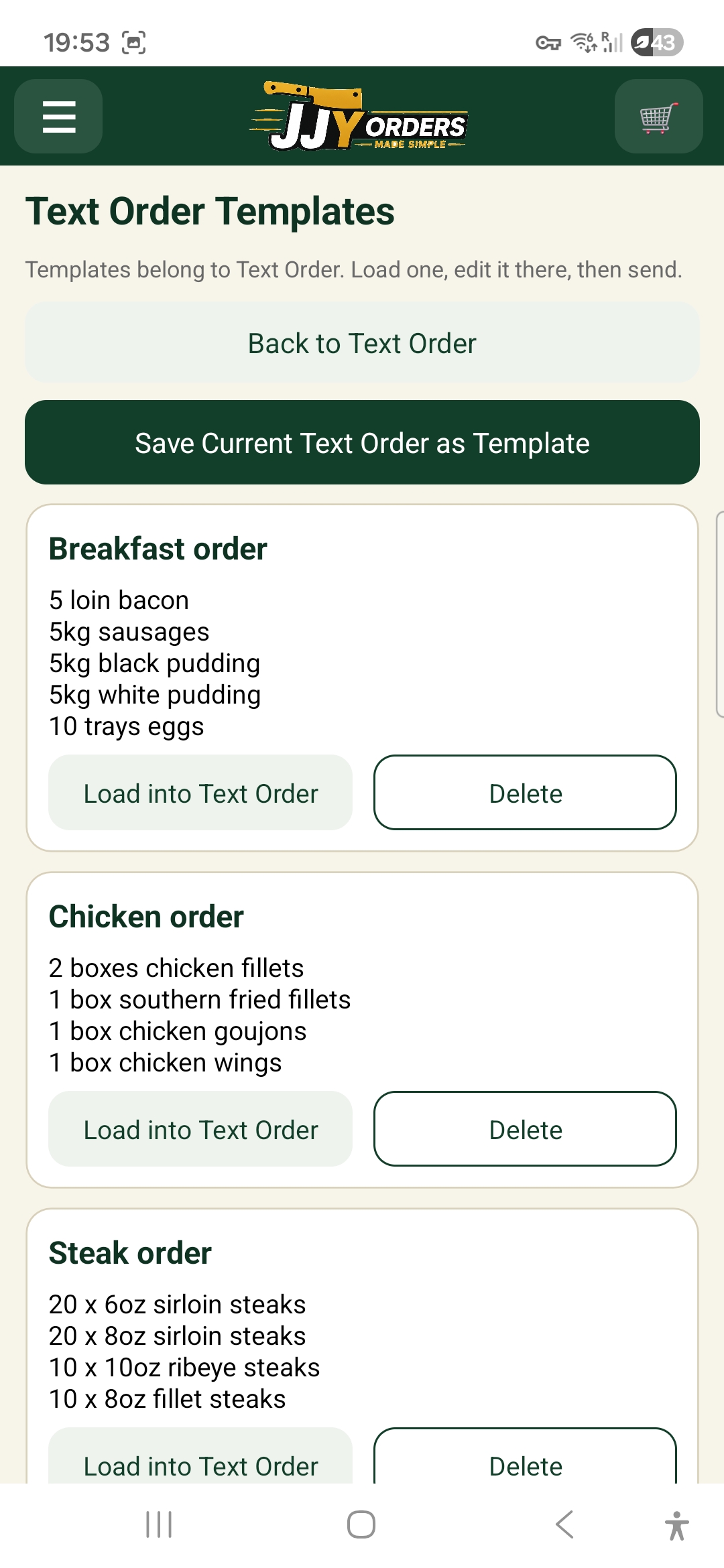
Text Order and templates
Prefer typing? Create a complete Text Order in one screen, then save frequently used orders as templates for quick reuse.
Account controls
Forgot password
Request a password-reset email from the login screen.
Notifications
Receive order and approval alerts where the device and browser support them.
Delete Account
Permanently remove the individual login and its JJY access from Account & Settings.